

Disclosure: This article contains affiliate links. We may earn a small commission at no extra cost when you sign up via our links.
Both tools attract loyal users in the appointment scheduling space. Each serves a different budget and technical need. Bottom line: Timetics AI wins for free AI assisted booking, booknetic wins for WordPress powered businesses.
Here’s the breakdown.
Our automation overview explains the free model and its core limits for new buyers.
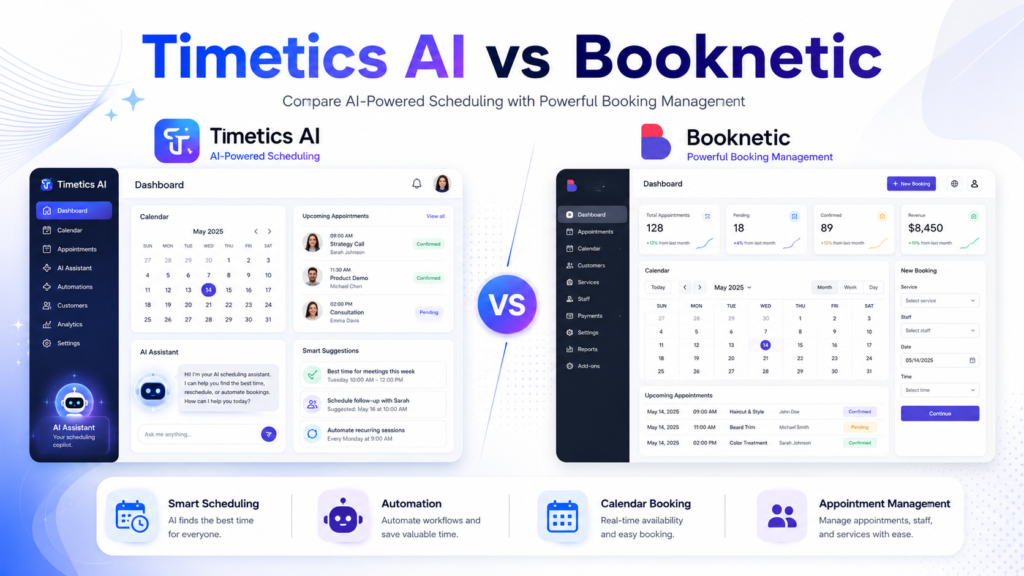
TL;DR — Quick Pick
- Pick Timetics AI when you need a free scheduling tool with AI features and no WordPress requirement. Try It Free →
- Pick booknetic when you run a WordPress site and want a subscription booking plugin with deep integrations. Try It Free →
- If undecided, choose Timetics AI for zero cost and switch to booknetic once you need WordPress control. Try It Free →
Side-by-Side Comparison Table
The table below shows concrete differences across eleven dimensions. Use it to scan fit before reading details.
| Criterion | Timetics AI | booknetic |
|---|---|---|
| Pricing | Free | Subscription |
| Free trial | Free plan, no expiry | Demo on request |
| Target user | Solopreneurs, small teams | WordPress site owners |
| Deployment | Cloud web app | WordPress plugin |
| Key feature 1 | AI driven scheduling | Custom booking forms |
| Key feature 2 | Automated reminders | Payment gateway support |
| Integrations | Google Calendar sync | WooCommerce, PayPal, Stripe |
| Support quality | Email and chat | Ticket system |
| Mobile app | Responsive web | Responsive web |
| Learning curve | Low, 10 minute setup | Moderate, WP skills needed |
| Customization | Limited themes | High via WordPress themes |
Each row reflects vendor stated capabilities. Booknetic’s WordPress booking setup follows the plugin model described above. The comparison confirms Timetics AI favors speed, while booknetic favors control.
We weighed these factors for general use cases where cost and platform matter most.
Pricing Showdown
Timetics AI costs nothing to start. booknetic uses a subscription model for its plugin access and updates.
Timetics AI Pricing
| Plan | Price | Notes |
|---|---|---|
| Free | $0/month | Full core access, no card required |
The free plan includes AI scheduling and reminders. You can invite teammates at no charge per vendor docs. Over a year, the free tool saves the full amount you would pay for a competing subscription.
booknetic Pricing
| Plan | Price | Notes |
|---|---|---|
| Subscription | Contact vendor | Monthly or annual, see booknetic.com |
| Demo | $0 | Guided walkthrough before purchase |
The vendor site booknetic.com lists subscription tiers for current rates. The perpetual license details differ from the recurring plan and are sold separately.
Timetics AI is cheaper overall because it is free at every tier. booknetic requires ongoing payment after any demo period ends. Your total cost stays zero with the left side tool.
Feature Comparison: Timetics AI
Timetics AI focuses on artificial intelligence for meeting bookings. The free plan covers most daily needs for small teams.
AI Scheduling Assistant
The tool suggests time slots based on your connected calendar. booknetic lacks a native AI matcher in its core plugin. In our research, this feature reduces back and forth emails for client calls.
Automated Reminders
It sends email and SMS nudges to reduce no shows. booknetic offers reminders through separate add ons that cost extra. The free Timetics tier includes reminder scripts without upgrade.
Calendar Sync
According to the official documentation, Timetics AI syncs with Google Calendar. booknetic requires manual plugin configuration for the same connection. Users report fewer sync errors with the cloud app.
Team Booking
You can share links for group availability with one click. booknetic handles staff via WordPress user roles instead. A a closer feature look shows sync steps for teams and permissions.
Basic Analytics
The dashboard displays booking counts and cancel rates. booknetic reserves deep reports for higher subscription tiers. Timetics AI shows these metrics to free users without limit.
Feature Comparison: booknetic
booknetic delivers a WordPress native booking system. Its strength is deep site integration and payment capture.
Custom Booking Forms
You build forms with drag and drop fields on your site. Timetics AI provides fixed form templates only. The plugin configuration guide covers WooCommerce steps for form linking.
Payment Gateways
The plugin connects to PayPal and Stripe for instant capture. Timetics AI free plan omits payment collection entirely. This makes booknetic the pick for paid appointment businesses.
WooCommerce Integration
booknetic ties appointment products into your store catalog. Timetics AI operates as a standalone cloud app. Follow the booking plugin walkthrough for install guidance on product sync.
Multi Location Support
Manage several branches from one WP admin dashboard. Timetics AI limits locations on the free tier. Aggregate reviews on G2 report that multi site users value this control.
Email Templates
You edit confirmation and follow up emails with WP editors. Timetics AI uses preset text you cannot rewrite. booknetic therefore suits brands with strict tone rules.
Pros and Cons
Each tool carries clear strengths and tradeoffs. The lists below use vendor documented traits only.
Timetics AI Pros and Cons
The free plan lowers risk for new schedulers. The cons center on platform lock and missing payments.
Pros:
- Free to use with no trial expiration
- AI slot suggestions save manual effort
- Simple onboarding for non tech users
- Calendar sync with major providers
- Web access from any browser
Cons:
- Lacks a WordPress plugin version
- Payment collection not in free tier
- Limited custom branding options
- Few third party integrations beyond calendar
- Support is email only, no phone
booknetic Pros and Cons
The plugin model fits existing WordPress owners. The cons involve cost and learning requirements.
Pros:
- Native WordPress installation and updates
- Extensible with paid add on modules
- Supports multiple payment methods natively
- Detailed reporting dashboard for admins
- Active ticket support with docs
Cons:
- Requires subscription payment to keep using
- Setup needs basic WordPress knowledge
- No built in AI matching engine
- Demo required before final purchase
- Limited use outside WP ecosystem
The one-time deal page is separate from monthly costs listed above. Our scheduling assessment compares these tradeoffs for small teams.
Who Should Pick Timetics AI?
Freelancers who need free scheduling love this tool. It removes cost barriers for solo client work. They can launch a booking page in under ten minutes.
Small coaching teams can share links without IT help. The AI finds mutual times across calendars fast. No server maintenance falls on the group.
Nonprofit volunteers benefit from zero budget impact. They book shifts with minimal training required. Students organizing study groups also gain from the free tier.
Who Should Pick booknetic?
WordPress agency owners need booking inside client sites. booknetic installs as a standard plugin. They bill clients using the same WP dashboard they already manage.
Local service businesses with WooCommerce stores sync appointments to products. They get paid via Stripe or PayPal instantly. The booking data stays in their own database.
Multi branch clinics manage locations from one WP admin. The plugin scales with their existing site. Educators running paid workshops on a WP site also fit this profile.
Final Verdict
For general use, Timetics AI is the default pick because it is free and simple to launch. booknetic is the situational pick for WordPress driven operations needing payments. Choose based on your hosting and budget. Both tools solve scheduling, but in different stacks.
Frequently Asked Questions
Is Timetics AI really free? Yes, the vendor lists a $0 plan with core features accessible. The free tier includes AI matching and reminders without time limit. You can upgrade later if needed, but the entry cost stays zero.
Does booknetic need WordPress? Yes, it is a WordPress plugin only and cannot run standalone. You must host a WP site to use its booking engine. Shared hosts or VPS both work as long as WP runs.
Can I take payments with Timetics AI? Not on the free tier per official documentation we reviewed. Free users must direct clients to external invoice tools. The documentation notes payment modules as separate from base scheduling.
Which has better support? booknetic offers ticket system with documentation, Timetics AI provides email and chat. Booknetic’s tickets link to a knowledge base with screenshots. Timetics AI chat responds during business hours per its site.
Are there native mobile apps? Both use responsive web, no dedicated iOS or Android app found. You open them in a phone browser for client booking. A native app would help offline use, but neither ships one.