

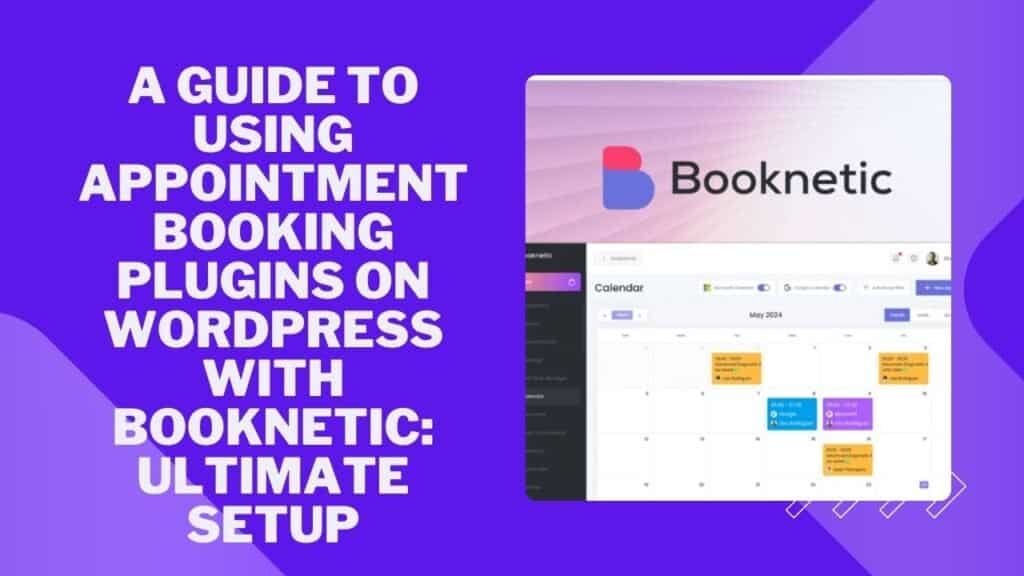
Managing appointments can be a hassle for businesses. Especially when you have multiple locations.
Appointment Booking Plugins Booknetic is a WordPress plugin that solves this problem. It automates booking and payment processes. This guide will show you how to use appointment booking plugins on WordPress with Booknetic. Booknetic offers many features. You can customize booking forms and personalize the appearance.
It supports email, SMS, and webhook notifications. It integrates with popular services like Google Calendar, Stripe, and PayPal. Plus, it supports multiple languages and role-based access control. Using Booknetic, you can simplify scheduling, enhance client communication, and manage workflows efficiently. This guide will help you set up and use Booknetic for your business needs.
Your Calendar is not Earning. It Should be
Introduction To Appointment Booking Plugins On WordPress
WordPress is a powerful platform for building websites. One of its strengths is the ability to add functionality through plugins. For businesses that rely on appointments, appointment booking plugins are essential. They help automate and streamline the booking process, making it easier for both you and your clients.
What Are Appointment Booking Plugins?
Appointment booking plugins are tools that integrate with your WordPress site. They allow clients to schedule appointments directly on your website. These plugins provide a user-friendly interface where clients can choose services, staff, and times that work for them.
Some common features include:
- Customizable booking forms
- Automated notifications
- Payment processing
- Integration with calendars
Why Use Appointment Booking Plugins On Your WordPress Site?
WordPress Appointment Booking Plugin
Using appointment booking plugins like Booknetic can greatly benefit your business. Here are some reasons to consider:
- Automation: The plugin automates the entire scheduling process, saving time and reducing errors.
- Client Experience: Clients can book appointments online at their convenience, providing a seamless experience.
- Efficiency: It helps manage multiple locations and staff, ensuring smooth operations.
- Communication: Real-time notifications keep clients informed and reduce no-shows.
- Customization: You can tailor booking forms to fit your specific needs.
| Feature | Benefit |
|---|---|
| Customizable Booking Widget | Personalize the booking experience |
| Appearance Personalization | Match your website’s design |
| Workflow Management | Automate notifications and actions |
| Customizable Working Hours | Set specific hours and breaks |
| Integrations | Connect with other tools and services |
| Role-Based Access Control | Manage staff permissions |
By integrating a plugin like Booknetic, you can optimize your scheduling process. This ensures a better experience for both you and your clients.
Overview Of Booknetic
Booknetic is a powerful WordPress plugin designed to automate appointment scheduling and payment processing. It is ideal for businesses with multiple locations. This guide provides a comprehensive look at the features and benefits of using Booknetic.
Introduction To Booknetic
Booknetic offers a customizable booking widget that allows you to tailor booking forms for specific services, staff, or locations. You can reorder or hide steps and include extras and recurring options. This flexibility ensures that the booking process meets your business needs.
The plugin also supports appearance personalization. You can modify the booking panel height, font styles, background colors, and step indicators. This helps create a seamless booking experience for your clients.
Purpose And Benefits Of Using Booknetic
The primary purpose of Booknetic is to automate and simplify the scheduling process. This is crucial for businesses that handle multiple appointments daily. Booknetic provides a seamless booking experience for clients, which enhances client satisfaction.
Some key benefits include:
- Automated Scheduling: Reduces manual booking tasks, saving time and effort.
- Real-Time Notifications: Enhances client communication with email, SMS, and webhook notifications.
- Workflow Management: Allows you to automate actions based on events and build workflow algorithms.
- Customizable Working Hours: Set specific working hours, breaks, and off days for staff or services.
- Third-Party Integrations: Compatible with Google Calendar, Stripe, PayPal, WooCommerce, Zoom, and more.
- Role-Based Access Control: Manage staff permissions across multiple locations and services.
Booknetic’s multi-language support ensures it caters to a global audience, making it a versatile tool for any business. The plugin is also GDPR compliant, ensuring data privacy and security.
| License Tier | Number of Domains | Price |
|---|---|---|
| License Tier 1 | 1 domain | $59 (originally $708) |
| License Tier 2 | 3 domains | $119 (originally $1,428) |
| License Tier 3 | 10 domains | $239 (originally $2,868) |
| License Tier 4 | 30 domains | $479 (originally $5,748) |
Booknetic offers a 60-day money-back guarantee, allowing you to try the plugin risk-free. If it doesn’t meet your needs, you can request a full refund within this period.
Key Features Of Booknetic
Booknetic offers various features that can enhance appointment scheduling on your WordPress site. These features aim to streamline booking processes, customize user experiences, and manage client communication effectively. Here’s a deeper look into the key features of Booknetic:
User-friendly Interface
Booknetic boasts a user-friendly interface that simplifies the booking process for both clients and administrators. The interface is intuitive, allowing users to navigate and book appointments with ease. Administrators can manage bookings, services, and staff from a single dashboard, reducing the learning curve significantly.
Customizable Booking Forms
With Booknetic, you can create customizable booking forms tailored to your business needs. You can include specific services, staff, or locations in the forms. Additionally, you can reorder or hide steps, and add extras and recurring options. This flexibility ensures that your booking forms reflect your brand and services accurately.
Automated Notifications
Booknetic supports automated notifications via email, SMS, and webhooks. You can set up notifications to trigger based on various events, such as appointment confirmations, reminders, or cancellations. This feature helps maintain clear communication with clients, ensuring they are informed at every step.
Payment Integration
Integrate popular payment gateways like Stripe and PayPal with Booknetic. This allows clients to make payments directly through the booking form. The integration with WooCommerce further expands the payment options, providing a seamless transaction experience for your clients.
Calendar Syncing
Booknetic offers calendar syncing with Google Calendar. This ensures that all appointments are updated in real-time across platforms, preventing double bookings and scheduling conflicts. Staff members can easily view and manage their schedules, enhancing overall efficiency.
Setting Up Booknetic On Your WordPress Site
Setting up Booknetic on your WordPress site is a straightforward process. Booknetic helps automate appointment scheduling and payment processing for businesses. Follow this guide to get started quickly and efficiently.
Installation Process
First, download the Booknetic plugin from the official website. Then, follow these steps:
- Log in to your WordPress dashboard.
- Navigate to Plugins > Add New.
- Click on the Upload Plugin button.
- Select the Booknetic ZIP file and click Install Now.
- Once installed, click Activate.
Initial Configuration
After activating the plugin, configure the basic settings:
- Go to the Booknetic settings page.
- Set your business name, address, and contact information.
- Configure your working hours, breaks, and off days for each staff member.
- Set up email and SMS notifications to keep clients informed.
Customizing Your Booking Form
Customize the booking form to match your business needs:
- Navigate to the Booking Widget settings.
- Choose the services, staff, and locations available for booking.
- Reorder or hide steps to streamline the booking process.
- Include extras and recurring options if needed.
- Modify the booking panel height, font styles, background colors, and step indicators.
Integrating Payment Gateways
Integrate payment gateways to accept online payments:
- Go to the Payment Gateways section in the Booknetic settings.
- Choose your preferred payment gateway (Stripe, PayPal, WooCommerce).
- Enter the required API keys or credentials for the selected gateway.
- Save the settings to enable online payments for bookings.
With these steps, your WordPress site is now equipped with Booknetic. Enjoy streamlined appointment scheduling and payment processing!
Pricing And Affordability Of Booknetic
Understanding the pricing and affordability of Booknetic is crucial for businesses aiming to optimize their appointment scheduling. This section provides an in-depth look at Booknetic’s pricing plans, value for money, and how it compares to other plugins.
Pricing Plans
Booknetic offers four distinct pricing tiers, each designed to cater to different business needs:
| License Tier | Domains | Price | Original Price |
|---|---|---|---|
| License Tier 1 | 1 domain | $59 | $708 |
| License Tier 2 | 3 domains | $119 | $1,428 |
| License Tier 3 | 10 domains | $239 | $2,868 |
| License Tier 4 | 30 domains | $479 | $5,748 |
Each tier offers a one-time payment for lifetime access, including all future updates, ensuring long-term value.
Value For Money
Booknetic stands out with its comprehensive features and cost-effective pricing. Key benefits include:
- Customizable booking forms and workflows.
- Integration with Google Calendar, Stripe, PayPal, and more.
- Real-time notifications via email and SMS.
- Multi-language support and role-based access control.
With these features, businesses can streamline their scheduling processes and enhance client communication without recurring costs.
Comparing Booknetic To Other Plugins
When comparing Booknetic to other appointment booking plugins, several factors make it a preferred choice:
- Cost-Effectiveness: Unlike many plugins that require monthly subscriptions, Booknetic offers a one-time payment.
- Feature-Rich: Booknetic includes advanced customization options and integrations that may only be available in premium plans of other plugins.
- Future Updates: Lifetime access includes all future updates, ensuring your plugin remains up-to-date without extra costs.
These factors make Booknetic not only an affordable option but also a valuable investment for businesses of all sizes.
Pros And Cons Of Booknetic
Choosing the right appointment booking plugin for your WordPress site can be challenging. Booknetic offers a comprehensive solution for businesses, but it’s important to weigh its advantages and disadvantages. Here’s an in-depth look at the pros and cons of using Booknetic.
Advantages Of Booknetic
Booknetic stands out for several reasons. Here are the key advantages:
- Customizable Booking Widget: Tailor booking forms with specific services, staff, or locations. Reorder or hide steps as needed.
- Appearance Personalization: Modify booking panel height, font styles, background colors, and step indicators to match your brand.
- Workflow Management: Automate notifications via email, SMS, and webhooks. Trigger actions based on events.
- Customizable Working Hours: Set specific working hours, breaks, and off days for staff or services.
- Integrations: Compatible with Google Calendar, Stripe, PayPal, WooCommerce, Zoom, and more.
- Multi-Language Support: Supports WPML and Polylang.
- Role-Based Access Control: Manage staff permissions across multiple locations and services.
These features help automate and simplify the scheduling process, providing a seamless booking experience for clients. They also enhance client communication with real-time notifications and increase efficiency by streamlining workflows and managing multiple locations.
Potential Drawbacks
While Booknetic offers many benefits, there are also some potential drawbacks:
- Cost: The pricing can be a concern, especially for small businesses. The cheapest tier starts at $59 for a single domain.
- Complexity: The extensive customization options may be overwhelming for beginners. It might take time to set up and configure.
- Limited Support: Some users may find the support options limited, relying mainly on documentation and community forums.
Understanding these potential drawbacks can help you make an informed decision about whether Booknetic is the right fit for your business needs.
| Feature | Pros | Cons |
|---|---|---|
| Customizable Booking Widget | Highly customizable and flexible | May be complex for beginners |
| Appearance Personalization | Matches brand aesthetics | Requires design knowledge |
| Workflow Management | Automates notifications and actions | Initial setup can be time-consuming |
| Integrations | Supports many third-party tools | Some integrations may need additional setup |
| Multi-Language Support | Supports multiple languages | May require additional plugins |
Ideal Users And Scenarios For Booknetic
The Booknetic plugin is a powerful tool for businesses needing efficient appointment scheduling. It offers robust features designed to meet various needs. This makes it ideal for many business types and scenarios. Below, we explore the best users and situations where Booknetic truly excels.
Best Business Types For Booknetic
Booknetic is perfect for a wide range of businesses. Here are some of the best fits:
| Business Type | Why It’s Ideal |
|---|---|
| Healthcare Clinics | Automates patient appointments and reduces no-shows with reminders. |
| Beauty Salons | Manages multiple staff schedules and service options efficiently. |
| Educational Institutions | Coordinates class schedules, tutoring sessions, and faculty meetings. |
| Fitness Centers | Handles class bookings, personal training, and room reservations. |
| Consulting Firms | Schedules client meetings and integrates with Google Calendar and Zoom. |
Scenarios Where Booknetic Shines
Booknetic excels in specific scenarios, thanks to its rich feature set:
- High Volume Bookings: Ideal for businesses with numerous daily appointments. The customizable booking widget simplifies the process for clients.
- Complex Scheduling: Perfect for businesses with multiple locations or services. The plugin allows tailored working hours and breaks.
- Client Communication: Automates email, SMS, and webhook notifications. This ensures clients receive timely updates about their appointments.
- Multi-Language Support: Essential for businesses operating in diverse linguistic regions. Booknetic supports WPML and Polylang.
- Payment Integration: Integrates with Stripe, PayPal, and WooCommerce. This streamlines payment processes and improves client experience.
Booknetic offers a seamless booking experience. It enhances efficiency and client satisfaction across various business types and scenarios.
Booknetic Alternative: Timetics AI
Timetics AI is an online scheduling and appointment-booking platform designed for individuals, service businesses, and teams that need to manage bookings, availability, payments, and client scheduling without relying exclusively on a WordPress plugin. Unlike Booknetic, which is built specifically for WordPress, Timetics provides hosted booking pages and can also be embedded into supported website platforms.
Booknetic vs Timetics AI: What’s the Difference?
Booknetic and Timetics AI solve a similar problem but are designed around different implementation models. Booknetic is a WordPress appointment-booking plugin, while Timetics AI operates as an online scheduling platform with hosted booking pages and website embeds. Therefore, WordPress-first businesses may prefer Booknetic, while consultants, agencies, service businesses and teams looking for a more platform-independent scheduling workflow may prefer Timetics AI.
| Requirement | Booknetic | Timetics AI |
|---|---|---|
| WordPress-native appointment booking | ✅ Excellent | ✅ Can embed |
| Hosted booking page | Primarily WordPress-based | ✅ Yes |
| Website-independent scheduling | Limited by WordPress setup | ✅ Yes |
| Service-based booking | ✅ | ✅ |
| Team scheduling | ✅ | ✅ |
| Online payments | ✅ | ✅ |
| Google Calendar | ✅ | ✅ |
| Outlook Calendar | ✅ | ✅ |
| AI-assisted scheduling | Not its primary positioning | ✅ |
| Group bookings | ✅ | ✅ |
| Recurring appointments | ✅ | ✅ |
| WordPress integration | Native plugin | Embed |
| Best for | WordPress service businesses | Individuals, consultants, agencies, service businesses & teams |
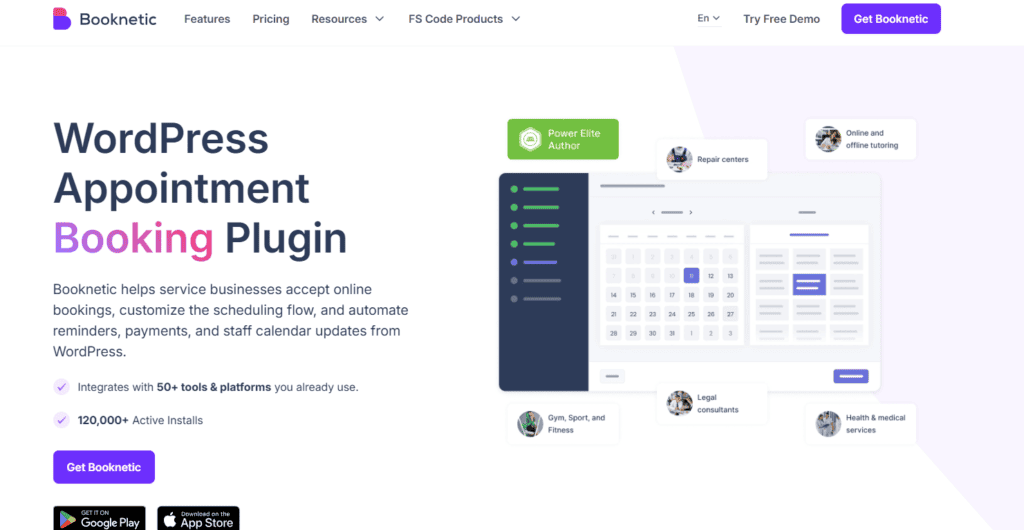
Booknetic currently markets itself as a WordPress appointment-booking plugin with customizable booking widgets, workflows, payments, staff management and 50+ integrations.
Timetics currently highlights unlimited bookings/event types, service-based scheduling, AI Agent, group bookings, team scheduling, payments and multiple workspace capabilities.
When Should You Choose Booknetic?
Booknetic is a strong choice if your business website is built on WordPress and you want your appointment-booking system to operate directly within your WordPress environment.
Booknetic is a stronger fit for:
- WordPress-based businesses
- salons
- clinics
- gyms
- tutoring businesses
- service businesses already using WordPress
- businesses requiring deep WordPress integration
- businesses wanting extensive WordPress booking customization
Booknetic itself lists fitness, beauty/wellness, spas, repair centers, tutoring, healthcare, legal consultants and accountants among its target use cases.
When Should You Choose Timetics AI?
Timetics AI may be a better fit if you want a hosted scheduling platform, shareable booking pages, service-based scheduling, team scheduling, online payments, calendar integrations, or AI-assisted scheduling without making WordPress the core of your booking infrastructure.
Timetics may be a better fit if you:
- work as a consultant
- run a coaching business
- sell paid consultations
- operate a service business
- manage multiple team members
- need a shareable booking page
- want online appointment payments
- need calendar synchronization
- want to embed booking into different website builders
- want AI-assisted scheduling
- operate multiple brands or client workspaces
Timetics specifically positions its platform for coaches, consultants, entrepreneurs, SMBs, agencies and other booking-driven businesses.
Looking for a flexible alternative to a WordPress booking plugin?
Timetics AI offers hosted booking pages, service scheduling, team scheduling, payments and AI-assisted calendar management. It can also be embedded into several website platforms, making it useful if you don’t want your scheduling system tied exclusively to WordPress.
Disclosure: This section contains an affiliate link. If you purchase Timetics through our link, SaaSGlide may earn a commission at no additional cost to you.
Frequently Asked Questions
How do I add an appointment booking system to WordPress?
To add an appointment booking system to WordPress, install a compatible appointment booking plugin such as Booknetic, configure your services, staff, availability, payment options, and notifications, and then add the booking widget to the relevant page. Businesses that prefer a hosted scheduling platform can also consider embedding Timetics into their WordPress website.
Is Booknetic better than Timetics AI?
There is no universal winner between Booknetic and Timetics AI because they use different approaches to appointment scheduling. Booknetic is a WordPress-focused appointment booking plugin, making it a strong choice for businesses that want native WordPress integration. Timetics AI is a hosted scheduling platform that may suit businesses looking for online booking, service scheduling, team scheduling, payments, and AI-assisted scheduling.
Is Timetics AI a WordPress plugin?
No. Timetics AI is an online scheduling platform rather than a traditional WordPress plugin. It provides hosted booking pages and can also be embedded into supported websites, including WordPress and other website platforms. This makes it possible to use Timetics without making WordPress the core of the scheduling system.
Can Timetics be used without WordPress?
Yes. Timetics can be used without WordPress because it provides hosted booking pages. It can also be embedded into websites built with platforms such as Webflow, Squarespace, Wix, Framer, and plain HTML, depending on the available integration options. This makes it useful for businesses that do not use WordPress.
Can Booknetic accept online payments?
Yes. Booknetic supports online payment functionality through integrations such as Stripe and PayPal, allowing businesses to collect payments during the appointment-booking process. Its payment options can be configured according to the business’s booking and service requirements.
Can Timetics accept online payments?
Yes. Timetics supports online payment functionality and currently lists payment integrations including Stripe and PayPal. This allows businesses to connect appointment or service bookings with online payment workflows. Available payment features and supported gateways can change, so users should verify the current Timetics documentation before choosing a specific payment setup.
Which is better for a WordPress website: Booknetic or Timetics?
For a business that wants a WordPress-native appointment booking system, Booknetic is generally the more natural choice because it is built specifically for WordPress. Timetics may be preferable if the business wants a hosted scheduling platform that can also be embedded into WordPress and other website platforms.
Conclusion
If your priority is a WordPress-native appointment booking system with extensive customization, Booknetic is a strong option. If you prefer a hosted scheduling platform with shareable booking pages, broader website embedding options, team scheduling, payments, and AI-assisted scheduling, Timetics AI is worth considering.
For WordPress-first businesses → Booknetic
If Timetics better matches your workflow, you can explore Timetics AI here.